Category Archives: Technology

Twitter’s Security Screwup and New Privacy Concerns

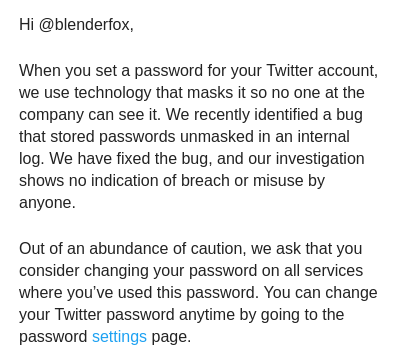
There is a new story doing the round about how Twitter found that it had stored user’s password in the clear in an internal log. Whilst reading it, I got this email from Twitter:

While this isn’t the first time a big company has done this (Github for one also did this), it seems unbelievable that a big company like Twitter would get itself caught out by this basic, common sense security practice. Pretty much every YouTube video and article about correctly handling passwords will tell you not to store them in the clear and only store them as hashes (with salts, preferably). Hashing algorithms are meant to be really difficult or impossible to reverse, meaning you can’t (easily) use the hashes to determine the original passwords.

Some examples from a quick YouTube search — Tom Scott’s video’s really good btw :), although is comment about “using login using Twitter and let them store your password for you” is a bit ironic :P

The fact that Twitter has our unencrypted passwords on disk… does this mean Twitter has been saving our original passwords before hashing them?

More to the point – whilst Twitter are quick to point out that no-one at the company can see the masked password, they don’t mention who has (or had) access to the unmasked passwords in the internal log. Or for how long…

Twitter users who had their accounts on private may not have been as private as they initially thought….


Introduction to Kubernetes on Rancher 2.0

The Rancher guys have put out an intro training video of Kubernetes on Rancher 2.0 — give it a check if you have time. :)

New Ubuntu Quirks

So, I install Ubuntu 17 clean on my laptop after the issues I had with drivers and immediately found out that gksu was not installed.

Installed that and tried to

gksudo nautilus

That failed and found out that Wayland had replaced the default of Xorg. Found an old Xauthority file from my backups and copied that back, which allowed me to get the popup window back for my gksu, but I couldn’t click it to enter the password :(

Then I found this article:

https://www.linuxuprising.com/2018/04/gksu-removed-from-ubuntu-heres.html

Which tells me I need to use the admin:/// file prefix instead to open something up as admin. Guess I’ll give it a go later.

Random Thought…

There’s a thought experiment known as Theseus’s paradox (and a couple of variants) and it goes something like this.

If you have a raft and replace the oars and planks due to them rotting or being old, or similar, to such a level that the entire raft is eventually replaced, is it still the same ship?

If you inherited an axe from your uncle and you replace the axe head because it’s blunt, and then the wooden handle because it broke — is that axe still the same one you inherited? Can you still call it your uncle’s axe?

Similarly, if all parts of a computer program are replaced by patches/hotfixes (not as full releases), is it still the same program? Can you, for example, call Microsoft Excel V1 a V1 if every part of it has been replaced with new code through patches and hotfixes? Can you even call it Microsoft Excel?

Backups

This is not going to end well….

(Source: http://www.commitstrip.com/en/2018/04/11/the-price-of-backups/)

Tunnelling to Kubernetes Nodes & Pods via a Bastion

A quick note to remind myself (and other people) how to tunnel to a node (or pod) in Kubernetes via the bastion server

rm ~/.ssh/known_hosts #Needed if you keep scaling the bastion up/down

BASTION=bastion.{cluster-domain}
DEST=$1

ssh -o StrictHostKeyChecking=no -o ProxyCommand='ssh -o StrictHostKeyChecking=no -W %h:%p admin@bastion.{cluster-domain}' admin@$DEST

Run like this:

bash ./tunnelK8s.sh NODE_IP

Example:

bash ./tunnelK8s.sh 10.10.10.100 #Assuming 10.10.10.100 is the node you want to connect to.

You can extend this by using this to ssh into a pod, assuming the pod has an SSH server on it.

BASTION=bastion.${cluster domain name}
NODE=$1
NODEPORT=$2
PODUSER=$3

ssh -o ProxyCommand="ssh -W %h:%p admin@$BASTION" admin@$NODE ssh -tto StrictHostKeyChecking=no $PODUSER@localhost -p $NODEPORT

So if you have service listening on port 32000 on node 10.10.10.100 that expects a login user of "poduser", you would do this:

bash ./tunnelPod.sh 10.10.10.100 32000 poduser

If you have to pass a password you can install sshpass on the node, then use that (be aware of security risk though – this is not an ideal solution)

ssh -o ProxyCommand="ssh -W %h:%p admin@$BASTION" admin@$NODE sshpass -p ${password} ssh -tto StrictHostKeyChecking=no $PODUSER@localhost -p $NODEPORT

Caveat though — you will have to make sure that your node security group allows your bastion security group to talk to the nodes on the additional ports. By default, the only port that the bastions are able to talk to the node security groups on is SSH (22) only.

Facebook Privacy (or lack of)

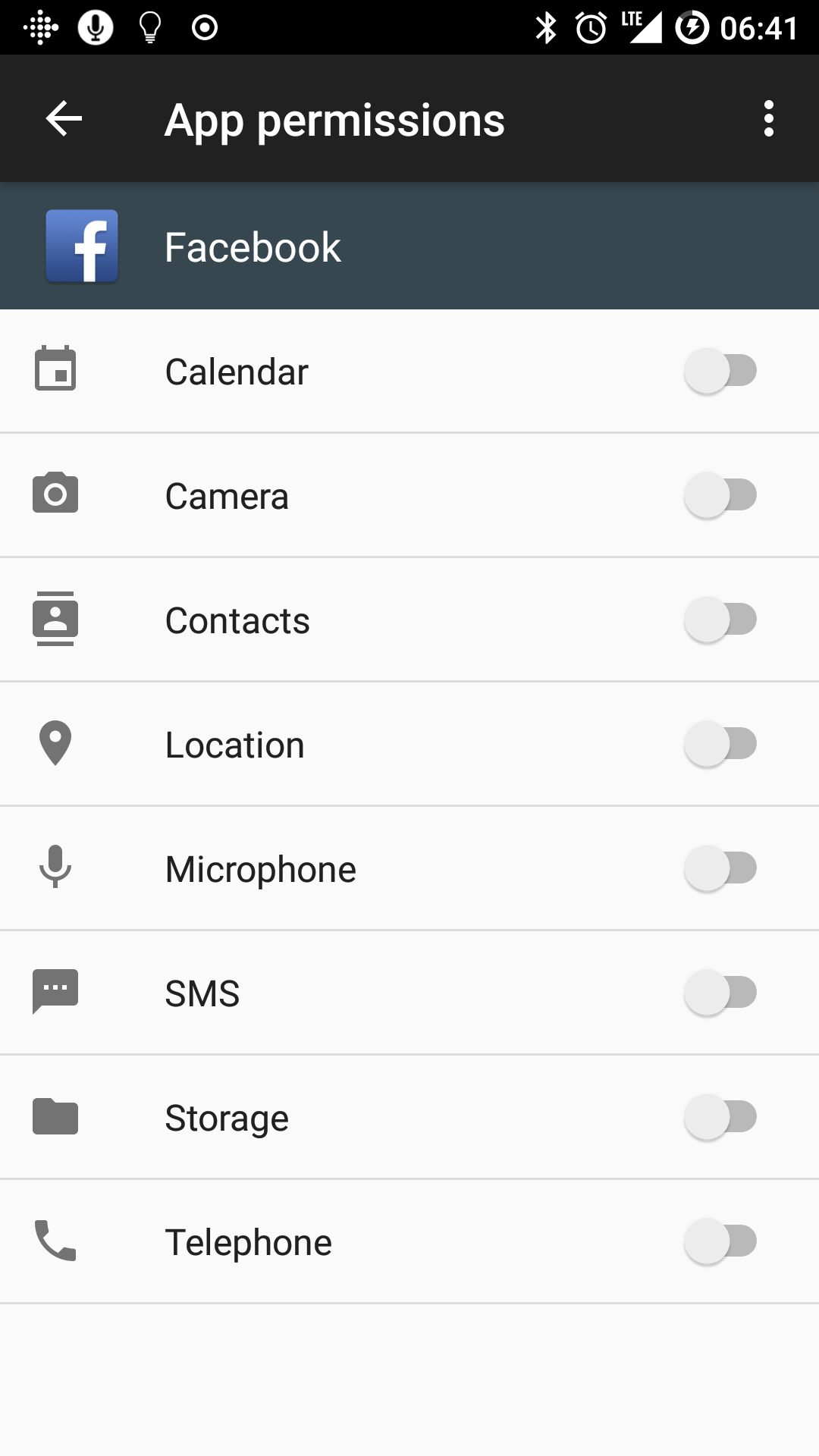
Facebook have been having a lot of bad publicity lately (and I would personally say it’s long overdue) and a lot of it over privacy. Now, there’s talk about Facebook lifting SMS and phone call information from Android phones with consent. Yes, Facebook asks for it, but you can (and should) refuse it access.

Later versions of Android allow you to revoke and change the permissions given to an app, and also prompt you again if the app asks for it.

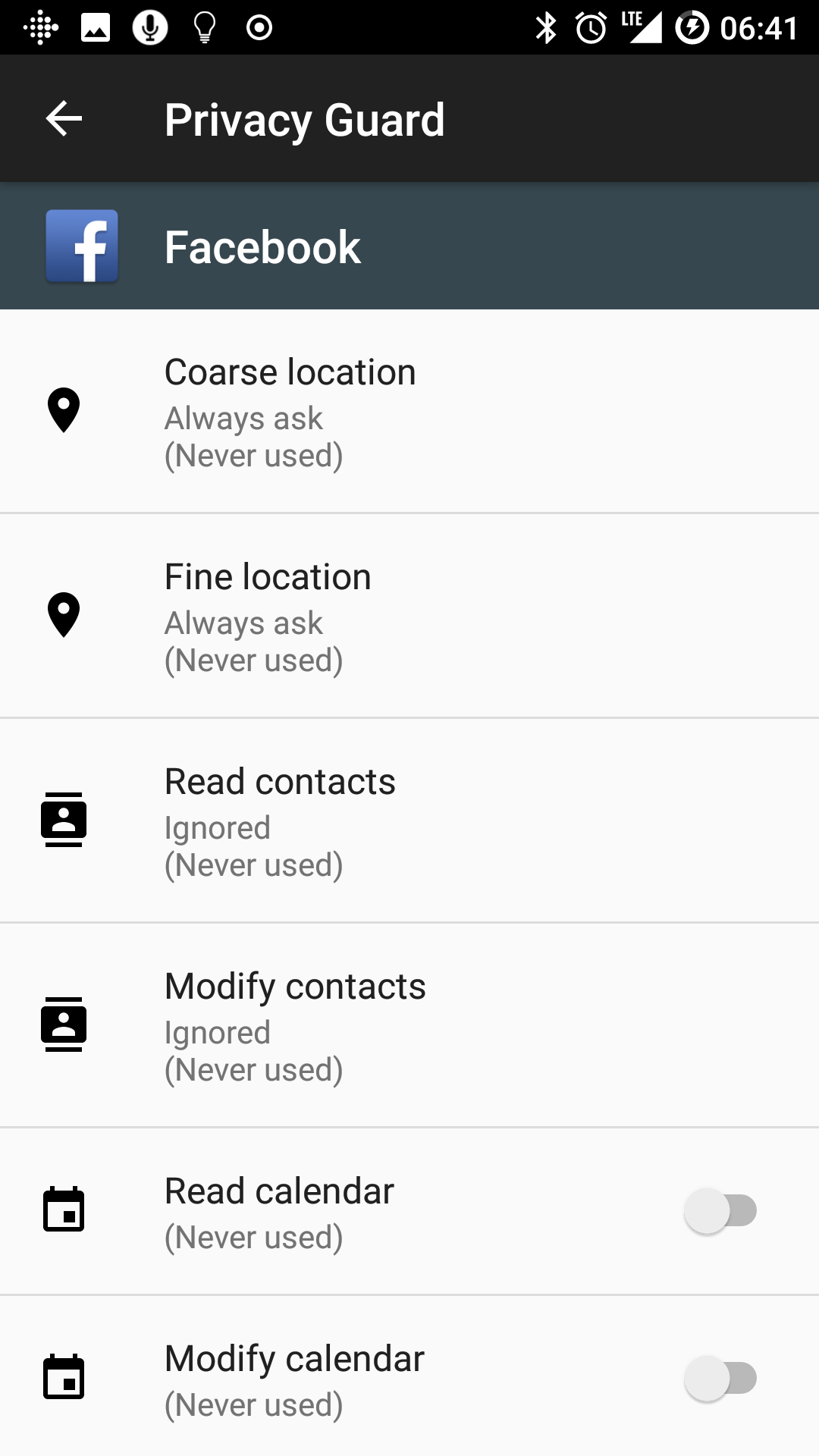
My Facebook app has very little permissions on my device because I don’t trust it a single bit.

I also have Privacy Guard enabled and restricted. Whenever it wants to know my location, I can refuse it.

Cloud Native Computing Foundation Announces Kubernetes as First Graduated Project

SONOMA, Calif., March 6, 2018 – Open Source Leadership Summit – The Cloud Native Computing Foundation® (CNCF®), which sustains and integrates open source technologies like Kubernetes® and Prometheus™, today announced that Kubernetes is the first project to graduate. To move from incubation to graduate, projects must demonstrate thriving adoption, a documented, structured governance process, and a strong commitment to community success and inclusivity.

https://www.cncf.io/announcement/2018/03/06/cloud-native-computing-foundation-announces-kubernetes-first-graduated-project/

Great news :) shows that Kubernetes is now considered more mature than previously and it definitely shows.

How to using S3 as a RWM/NFS-like store in Kubernetes

Let’s assume you have an application that runs happily on its own and is stateless. No problem. You deploy it onto Kubernetes and it works fine. You kill the pod and it respins, happily continuing where it left off.

Let’s add three replicas to the group. That also is fine, since its stateless.

Let’s now change that so that the application is now stateful and requires storage of where it is in between runs. So you pre-provision a disk using EBS and hook that up into the pods, and convert the deployment to a stateful set. Great, it still works fine. All three will pick up where they left off.

Now, what if we wanted to share the same state between the replicas?

For example, what if these three replicas were frontend boxes to a website? Having three different disks is a bad idea unless you can guarantee they will all have the same content. Even if you can, there’s guaranteed to be a case where one or more of the boxes will be either behind or ahead of the other boxes, and consequently have a case where one or more of the boxes will serve the wrong version of content.

There are several options for shared storage, NFS is the most logical but requires you to pre-provision a disk that will be used and also to either have an NFS server outside the cluster or create an NFS pod within the cluster. Also, you will likely over-provision your disk here (100GB when you only need 20GB for example)

Another alternative is EFS, which is Amazon’s NFS storage, where you mount an NFS and only pay for the amount of storage you use. However, even when creating a filesystem in a public subnet, you get a private IP which is useless if you are not DirectConnected into the VPC.

Another option is S3, but how do you use that short of using “s3 sync” repeatedly?

One answer is through the use of s3fs and sshfs

We use s3fs to mount the bucket into a pod (or pods), then we can use those mounts via sshfs as an NFS-like configuration.

The downside to this setup is the fact it will be slower than locally mounted disks.

So here’s the yaml for the s3fs pods (change values within {…} where applicable) — details at Docker Hub here: https://hub.docker.com/r/blenderfox/s3fs/

(and yes, I could convert the environment variables into secrets and reference those, and I might do a follow up article for that)

---
kind: Deployment
apiVersion: extensions/v1beta1
metadata:
  name: s3fs
  namespace: default
  labels:
    k8s-app: s3fs
  annotations: {}
spec:
  replicas: 1
  selector:
    matchLabels:
      k8s-app: s3fs
  template:
    metadata:
      name: s3fs
      labels:
        k8s-app: s3fs
    spec:
      containers:
      - name: s3fs
        image: blenderfox/s3fs
        env:
        - name: S3_BUCKET
          value: {...}
        - name: S3_REGION
          value: {...}
        - name: AWSACCESSKEYID
          value: {...}
        - name: AWSSECRETACCESSKEY
          value: {...}
        - name: REMOTEKEY
          value: {...}
        - name: BUCKETUSERPASSWORD
          value: {...}
        resources: {}
        imagePullPolicy: Always
        securityContext:
          privileged: true
      restartPolicy: Always
      terminationGracePeriodSeconds: 30
      dnsPolicy: ClusterFirst
      securityContext: {}
      schedulerName: default-scheduler
  strategy:
    type: RollingUpdate
    rollingUpdate:
      maxUnavailable: 25%
      maxSurge: 25%
  revisionHistoryLimit: 10
  progressDeadlineSeconds: 600
---
kind: Service
apiVersion: v1
metadata:
  name: s3-service
  annotations:
    external-dns.alpha.kubernetes.io/hostname: {hostnamehere}
service.beta.kubernetes.io/aws-load-balancer-connection-idle-timeout: "3600"
  labels:
    name: s3-service
spec:
  ports:
  - protocol: TCP
    name: ssh
    port: 22
    targetPort: 22
  selector:
    k8s-app: s3fs
  type: LoadBalancer
  sessionAffinity: None
  externalTrafficPolicy: Cluster

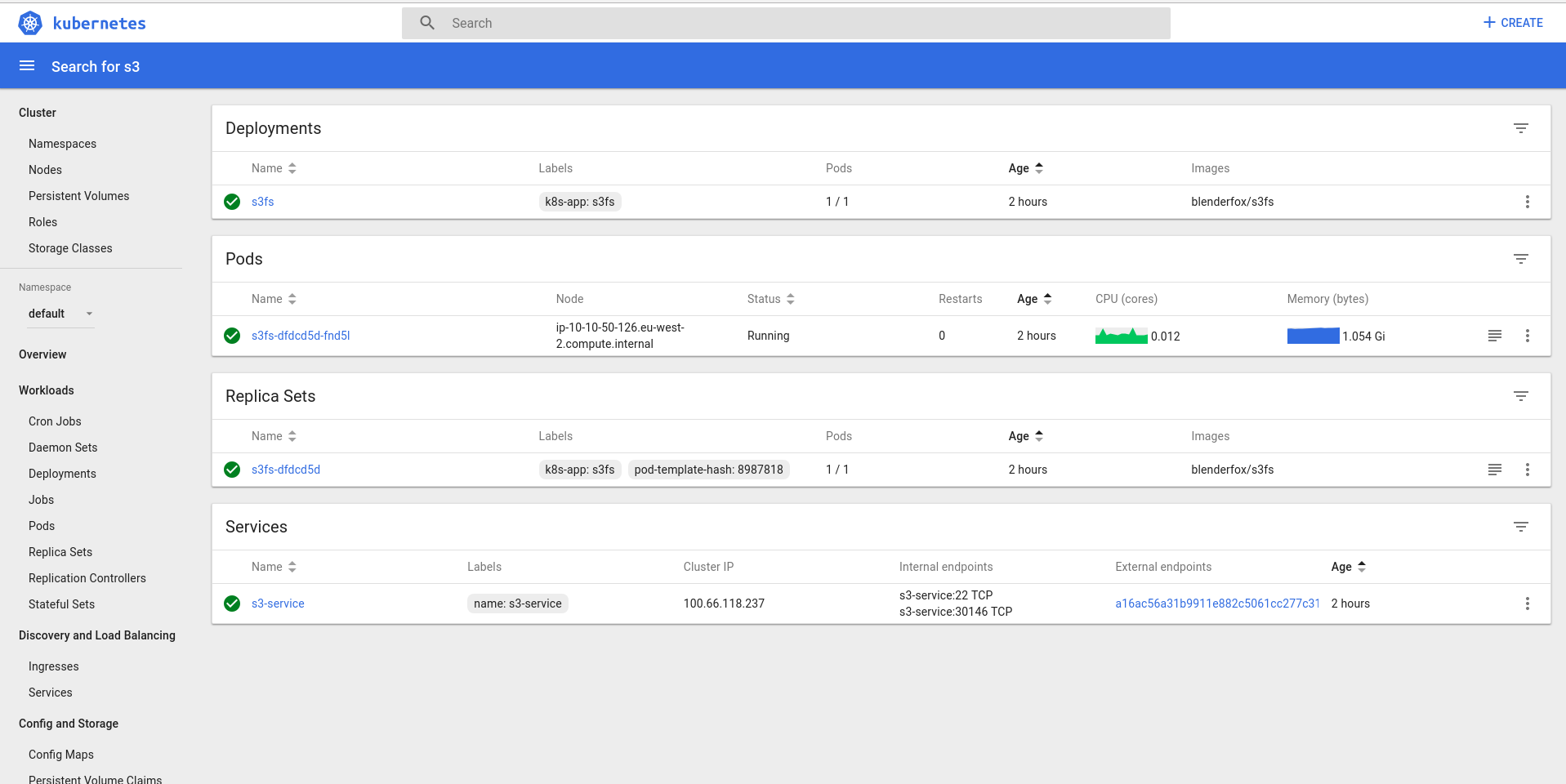
This will create a service and a pod

If you have external DNS enabled, the hostname will be added to Route 53.

SSH into the service and verify you can access the bucket mount

ssh bucketuser@dns-name ls -l /mnt/bucket/

(This should give you the listing of the bucket and also should have user:group set on the directory as “bucketuser”)

You should also be able to rsync into the bucket using this

rsync -rvhP /source/path bucketuser@dns-name:/mnt/bucket/

Or sshfs using a similar method


sshfs bucketuser@dns-name:/mnt/bucket/ /path/to/local/mountpoint

Edit the connection timeout annotation if needed

Now, if you set up a pod that has three replicas and all three sshfs to the same service, you essentially have an NFS-like storage.
 

Hack the USAF [Engadget]

Whilst finding vulnerabilities is a bad thing, having them found by white hat hackers is a good thing. Hackathons like this one prove that it can be constructive to get a group of them in to find and help fix vulnerabilities in your system before they are found in public and exploited to death before you have a chance to fix them.

The US Air Force’s second security hackathon has paid dividends… both for the military and the people finding holes in its defenses. HackerOne has revealed the results of the Hack the Air Force 2.0 challenge from the end of 2017, and it led to volunteers discovering 106 vulnerabilities across roughly 300 of the USAF’s public websites. Those discoveries proved costly, however. The Air Force paid out a total of $103,883, including $12,500 for one bug — the most money any federal bounty program has paid to date.


https://www.engadget.com/2018/02/19/hack-the-air-force-2/