Category Archives: Linux

Snippet: NTP Syncing (Windows/Linux)

Tux, the Linux penguin

English: M in blue square (similar to seen on )

A quick snippet for syncing your date and time via NTP. I have noticed that Windows and Linux do not follow the same convention by standard, and are always an hour out from each other, even though both claim to follow the same time zone. So, what I am having to do is sync via NTP each time I dual boot.

In Linux, this can be done using cron jobs or using the NTP daemon, but that does not do it frequently enough for my liking. So here is a bash snippet for it:

sudo service ntp stop
sudo ntpdate 0.ubuntu.pool.ntp.org 1.ubuntu.pool.ntp.org 2.ubuntu.pool.ntp.org 3.ubuntu.pool.ntp.org 0.uk.pool.ntp.org 1.uk.pool.ntp.org 2.uk.pool.ntp.org 3.uk.pool.ntp.org ntp.ubuntu.com
sudo service ntp start

The first line stops the NTP daemon, since the ntpdate command does not like it when it is running (port in use). The second command uses a server in the selected list to sync with. The final line restarts the NTP daemon.

The Windows (Windows 7) equivalent is very similar. Like with linux, it has an in-built sync facility, but it again does not sync often enough for my liking. Like with the bash script, the commands must be run with elevated rights, so you must “Run as Administrator“, or run from an elevated rights command prompt, which you do as follows:

  1. Click Start, type “cmd” into the command window (do NOT use Windows+R)
  2. Hold down CTRL+SHIFT, then press ENTER
  3. You will be prompted (if you have UAC active), OK it and you will get a command prompt with “Administrator” in the title.

net stop "Windows Time"
net start "Windows Time"
w32tm /config /manualpeerlist:"0.ubuntu.pool.ntp.org 1.ubuntu.pool.ntp.org 2.ubuntu.pool.ntp.org 3.ubuntu.pool.ntp.org 0.uk.pool.ntp.org 1.uk.pool.ntp.org 2.uk.pool.ntp.org 3.uk.pool.ntp.org ntp.ubuntu.com" /syncfromflags:ALL /update
w32tm /resync

This code starts/restarts the Windows Time service then configures it with a pool of NTP servers, before asking the service to update itself and then resync. The resync action is what adjusts the time.

Linux & Windows Dual Booting Guide

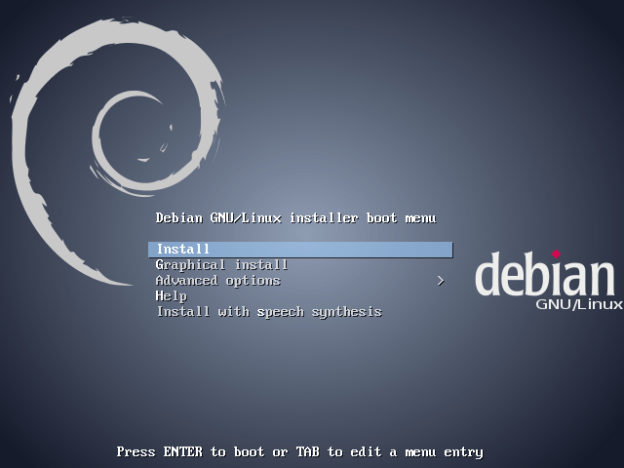
I’ve just finished work on a dual-boot setup guide with Linux and Windows 7. It covers setting up Dual Boot with Windows installed first or second, and with Linux installed first and second, and covers Linux distros that default to using LVM, such as Fedora, and those which don’t default to using LVM, such as Debian.

Link here:

http://wp.me/P3jVlp-Dz

Recent Linux Kernel Update

English: The logo of the Linux distribution Ub...

Lubuntu


The recent linux kernel update has screwed up my admin accounts on both my Ubuntu-based boxes (Lubuntu & Ubuntu Studio). I’ve spent three hours creating a new user, making them sudo-enabled, then moving my files from my old profile to my new one and tinkering with a few scripts and desktop shortcuts that were still pointing at the old home directory.

Mind you, it’s given me an opportunity to test my LPIC-1 knowledge.

Dynamic IP Workaround

If you rely on remote access to your home computer but cannot be bothered with having to record your external IP each time then you can use DynDNS or No-IP, but they rely on installing their own tools to update their systems, and in some cases, want you to pay for the service. I have found a (somewhat convoluted) way of an alternative means, which should work under most Linux environments.

  1. Install the packages “at” and “grive” (at allows you to schedule tasks from command line with simple timing syntax. Grive is a console-based Google Drive syncing tool) — note, however, that grive may not be present in all repositories.
  2. Setup Grive.
  3. Add this script to the grive directory and name it externalIP.sh:

IP=wget -q -O - checkip.dyndns.org|sed -e 's/.*Current IP Address: //' -e 's/<.*$//'
HOST=host $IP | cut -d ' ' -f5
echo $IP $HOST | tee externalIP.txt
grive
echo ‘cd {path-to-your-grive-folder};./externalIP.sh’ | at now + 2 hours

  1. Make the script executable
chmod +x externalIP.sh
  1. Run the script ONCE
$ ./externalIP.sh
XX.X.XXX.XXX your-hostname.
Reading local directories
Synchronizing folders
Reading remote server file list
Detecting changes from last sync
Synchronizing files
sync "./externalIP.txt" doesn't exist in server, uploading
Finished!
warning: commands will be executed using /bin/sh
job 278 at Tue May 6 22:48:00 2014

What the script does is determine the external IP address of your machine, do a reverse lookup on it, write the results to a text file, then sync it with Google Drive. What you can do is read the text file (externalIP.txt) off your Google Drive storage via the web interface at http://drive.google.com, and you can then access it remotely, using either the IP or the hostname. The last line schedules the script to be run again in two hours from now (in case your IP address changes), this is the “job 278” line.

It should also be noted that the scheduling carries on between reboots.

UK and US Governments Warn: ‘Don’t Use Internet Explorer’

Something I’ve been saying for a LONG time…

jamesgoode98's avatarLinux News

Don’t use Internet Explorer’ — that’s the warning being given by the US and UK governments this week after a severe security flaw affecting the browser was detected. 

Both countries are advising citizens who are running Microsoft Windows to switch to an alternative web browser, such as Opera, Mozilla Firefox or Google Chrome, until the vulnerability has been fixed.

Internet Explorer 6 through 11 — released on Windows 7 and 8 last year — are all confirmed to be affected.

For XP Users It Gets Worse

News of the vulnerability can’t have come at a worse time for those still running Windows XP.

With Microsoft officially ending support for it in April this year, even when a fix for this issue is released the update won’t be made available to the estimated 125 million hold-outs still running the aged OS.

As such the advice from the US and UK computer security agencies is even more stark: don’t use the…

View original post 17 more words

Laptops, TuxOnIce and Hibernation

I’m one of those people who hates having to shutdown machines, then restart them, and start logging into all my sites all over again, so I’m particularly thankful for hibernation functionality.

On Ubuntu (possibly Debian as well, but I haven’t checked), you can install either (or both) of the hibernate package, or the TuxOnIce-enabled kernel.

Hibernate is a script that detects whether or not you have a TOI-enabled kernel, and if you have such a kernel, it will use the TOI routines.

Hibernate worked perfectly for me, until I started using BOINC. Then, hibernation would hang with my laptop in a “limbo” state. Neither fully on, nor fully powered off. Turns out that BOINC must be either hogging the memory, or not releasing it properly. So, instead of doing

sudo hibernate

I do this

sudo service boinc-client stop
sudo hibernate -k
sudo service boinc-client start

So I stop the BOINC service (freeing up memory and CPU cycles), then I do the hibernate (allowing it to kill processes if needed), and then I startup the BOINC service again. The last line only gets executed upon resuming.

Blocking IP ranges using IBLOCK lists and iptables

I’ve started looking at the iptables function within the Linux kernel, and found out, that with a bit of tinkering, you can use the IBLOCK lists to do a machine-wide block based on IP. You use pipes (gotta love ’em) to route them into ipset which allows you to create a set of IP addresses/ranges which then reference in the iptables. You can use wget or curl. If you use wget, you might need to use the quiet switch. You can use xargs to multi-download lists and concatenate. I’m tinkering with my download script at the moment.

First, create the set. Here, I have used a high maxelem number because I use a lot of IBLOCK’s lists. The “maxelem 1048576” can be omitted or the number reduced if you are only using one or a small number of IBLOCK lists.

ipset create IBLOCK hash:net maxelem 1048576

Second, download and add to the set if it doesn’t already exist. You can chain multiple lists into the wget or use xargs. For this example, I’m only using one.

wget -q "http://list.iblocklist.com/?list=bt_level1&fileformat=p2p&archiveformat=gz" -O- |
    gunzip |
    cut -d: -f2 |
    grep -E "^[-0-9.]+$" |
    gawk '{print "add IBLOCK "$1}' |
    ipset restore -exist

Finally, add rules into the iptables to drop package to and from IP addresses that exist in the set. This means that packets coming in from external IPs that match IP addresses in the set will not be answered.

iptables -I INPUT -m set --match-set IBLOCK src -j DROP
iptables -I OUTPUT -m set --match-set IBLOCK dst -j DROP

When I tried this with my IBLOCK download script, it seemed to kill TOR functionality as well, which I suspect means that IBLOCK have included the TOR IP range in one or more of their lists, so I’ll need to determine which one(s) they are and exclude them, as I do use TOR actively.

As with most things, there’s more than one way to do this, and this is one of many ways you could implement blocking behaviour.

Source: Dustin C. Hatch, Using PeerBlock lists on Linux

Swiss City Mandates Use Of Open Source, Banishes Microsoft Officially

jamesgoode98's avatarLinux News

In an overwhelming majority vote, the city council in Bern, Switzerland has moved to implement all future infrastructure with open source technologies.  The “Party Motion”, as it is called in Switzerland, was submitted over a year ago, and has finally been realized.  Plans to move forward with open source design, strategy and implementation should begin immediately.

The party motion called for the following bullet-points.  These have been translated via Google Translate from German, so please consider that as you read them.

  • Development of an open source development strategy provides for that as a rule in all future procurements operating system and browser-independent solutions are chosen, will be announced in public tenders as product and vendor neutral and explicitly open source solutions are accepted with equivalent functional properties and similar cost structures, the open source version is preferred and specially developed software or on a contract code under an open source…

View original post 136 more words

‘Like driving a Ferrari at 20mph’: Why one region ditched Microsoft Office for LibreOffice

jamesgoode98's avatarLinux News

If you’re up for a visit to the beautiful Italian region of Umbria, better make sure your laptop is running some open source software — chances are you’ll feel more at home there.

This small area in the middle of the Boot, known for its centuries-old monasteries and for being the birthplace of St Francis of Assisi, is in fact quickly becoming a mecca of free software.

Thanks to a project called LibreUmbria, the biggest local government bodies are migrating to LibreOffice in what’s thought to be the most carefully-designed transition away from proprietary software ever undertaken. Though not as big as other international migration initiatives, the Umbrian project has been praised for its attention it pays to every aspect of the transition, not just the technical ones.

And if money is the primary motive, cultural and ethical reasons also play a prominent role. “Right now, along with Munich

View original post 189 more words

Putting a laptop into suspend or hibernate from console

Some information I found off the web:

First type:

cat /sys/power/state

If the result line contains “mem”, you can use this to suspend to RAM:
sudo pm-suspend

If the result line contains “disk”, you can also use this to suspend to disk (hibernate):
sudo pm-hibernate

If you have both results, you can use this to suspend with a hibernate backup. In other words, your system will prepare for hibernation, but only suspend, not turn off. This will use a bit of power, but means that it’s faster to resume, and if your battery runs out, it’ll use the hibernate image as backup.
sudo pm-suspend-hybrid

You can pipe the hibernation into a timed job using the at command. This will hibernate in one hour from now
echo 'pm-hibernate' | sudo at now + 60 minutes

And you can confirm the job is present:
sudo at -l
10 Wed Jan 1 12:38:00 2014 a root

Suspend/Hibernate requires root access, hence the reason I did sudo before the at command