Category Archives: Linux

Corporate Linux

Virtualization madness

Had my first encounter of Linux, or specifically, a linux-like environment in a corporate environment. The IT peops were trying to setup an environment on Xenserver, and they had setup a storage space to copy a virtual machine image onto. But they kept running out of space. It took me a while to figure out what they were doing (wrong), though.

They were trying to copy onto the PV partition, and Xenserver had setup its environment to use LVM, so the PV partition was already allocated to the LVM system, and therefore had no space to copy onto.

After figuring out which LV was the one they wanted to use, I had problems mounting, with mount saying I had to specify the filesystem. After trying various switches with mount and specifying a filesystem (only NFS, ext, ext2 and ext3 were supported by Xenserver. No vfat, ntfs or btrfs. Admittedly, however, the Xenserver version the IT people were using was an older version), I soon found out that the IT people had created the storage space, but not done anything else. Therefore, that would explain why I couldn’t mount it — it hadn’t been formatted. So a simple mkfs.ext3 (remember ext4 wasn’t supported) on the block device in /dev/mapper/ meant I could mount it without specifying filesystem. scp’ing into the server and copying into the path proved it worked.


LPIC-1

Linux Professional Institute

I’ve finished studying for the first of two exams for the LPIC-1 certification, and I have found some exam questions (about 600 of them), and have started to go through them.

The first thing that struck me about these questions is either I’ve not been studying all the topics, or some topics have been removed out of the exam. For example, some of the questions reference LILO, but according to the LPI page on the 101 exam, there’s no mention of LILO (but there is mention of Grub 2 and Grub Legacy). Then again LILO and Grub Legacy are quite limited by today’s standards, so it could be that they really are removed out of the exam. Guess I’ll have to take that chance.

Memory

Had a very eventful weekend, and my entire Sunday was taking up trying to figure out a weird symptom on my linux installation.

In the weeks leading up to today, I used to get strange behaviour from my Fedora box. The behaviour resulting in an error being detected by the ABRT tool, regarding a null reference. Sunday, my laptop conked out and refused to startup. I tried reinstalling Fedora, Debian, Mint, openSUSE, and even OpenMandriva — none of them could complete the installation. They either failed with error part way through, or hung completely.

I decided to try installing Windows XP over everything. That failed with an IRQ LESS THAN OR EQUAL TO blue screen. Then I tried Windows 7. That installation succeeded, and I started running updates. Then it blue screened me again. This time MEMORY_MANAGEMENT was the message. Hmmm. So, could it be that one of my memory chips was dodgy? That would account for why it was intermittent. I have 2x 2GB chips in my laptop, so I took both out and rebooted. No splash screen. Good. That’s expected.

Put in one of the chips. Booted, BIOS showed 2GB. Good, that’s OK.

Took it out and put in the other 2GB. No splash screen. Looks like that’s the dodgy one. I dug out my 1GB from when I got my laptop originally, and put that back into the other slot, so I get a 3GB installation. Checked boot. Splash screen displayed. Good. So I then ran a BIOS memory check, and all 3GB passed.

So then I decided, maybe I should try doing a restore, in case the dodgy memory was the cause of my failure to restore previously. It worked fine, so now I’m back up with my previous setup. :D

Cause: Faulty 2GB memory

External IP

Need to know your external IP but are being a router? In a console window:

curl http://ipecho.net/plain; echo

And you get the external addressable IP of your machine

F*** It….

FLOSS isn’t without it’s humour. It’s the only time you can say “Fork It” without getting in trouble for swearing ^_^

Ubuntu Saucy Salamander

I’ve been running with Ubuntu on my desktop for a long time, even after upgrading it to 4GB RAM (it’s a really old PC). Nonetheless, Lubuntu (which is Ubuntu with LXDE) prompted me to upgrade from Raring to Saucy. I did, and as with all Ubuntu upgrades, it took absolutely ages to complete. But after a reboot, I noticed the login screen is now identical to the LXDE login screen of my Fedora box (which is also using LXDE). This is good and bad — good in that it gives users a consistent login experience regardless of distribution, but bad in the sense that the identity of Ubuntu has been slightly lost.


Linux Training

Well, after a few emails exchanged between myself and LPI, I have my certificate (electronic delivery, not postal.) Now to train up for LPIC-1.

I passed the Linux Essentials exam, so should get the certificate in the post in the next few days. Then at least I can add it to my LinkedIn profile. Next step, LPIC-1 :)

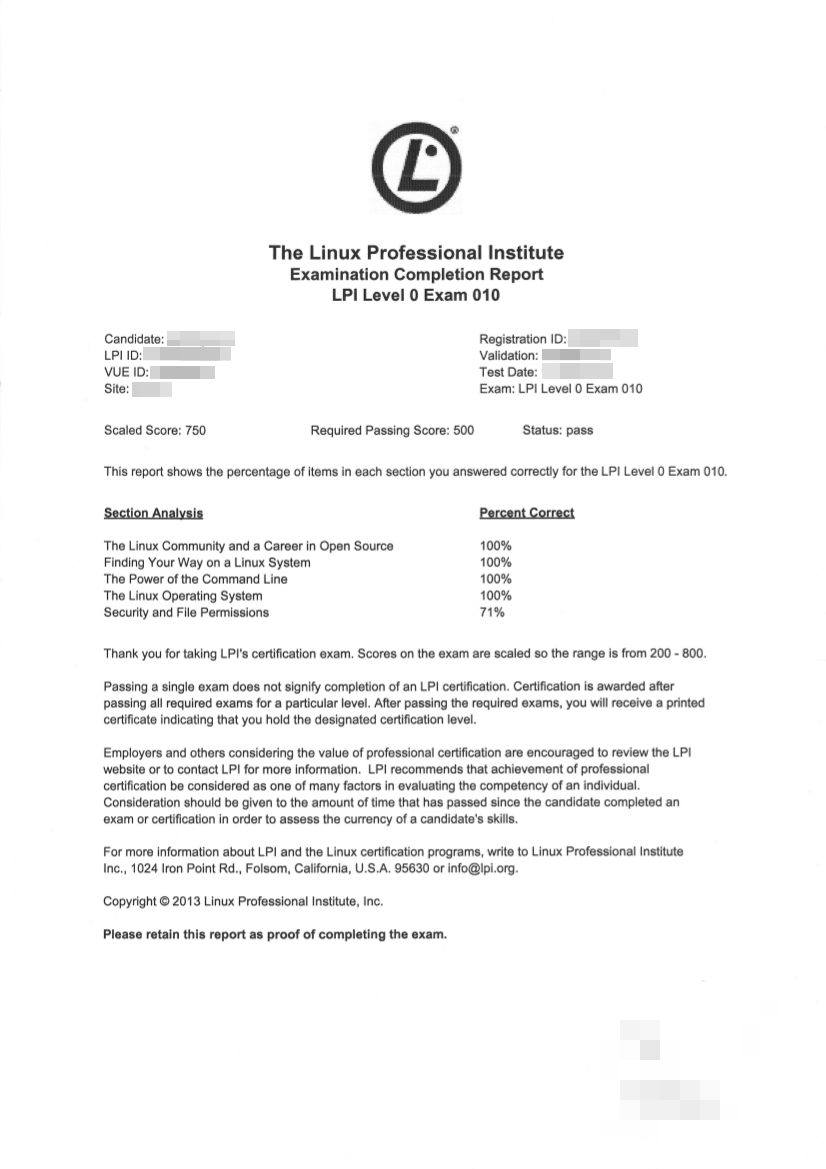
Here’s my confirmation of passing (blanked for obvious reasons). The only thing I have trouble with was Security and File Permissions. It would be nice to know WHICH questions I got wrong so I can target specifically my revision….

3531_001


Linux Training

Linux Professional Institute Logo

I’m going to make the leap and go for my first Linux Exam this week. I’m taking the introductory exam – the Linux Essentials exam. Whilst not a mandatory requirement for the main LPIC certification, it is a recommended one. And it can’t hurt knowing more than needed. Besides, I’ve already booked a proper training (seminar/group) week next year for the LPIC-1 course. I’ll probably book the LPIC-2 course too, whilst I can still afford it. :-\

After switching 37,000 PCs to Ubuntu, French Armed Forces says open source cuts costs 40 percent | Apps and Software | Geek.com

After switching 37,000 PCs to Ubuntu, French Armed Forces says open source cuts costs 40 percent | Apps and Software | Geek.com.