Tag Archives: Fedora

Fedora 19 – Schroedinger’s Cat

Well, I tried to install Fedora 19 on my desktop, which previously had Fedora 18 (Spherical Cow) and ran fine. Bizarrely, Fedora 19 doesn’t like my graphics card it seems and even after booting the install after using VNC, it doesn’t come up with a graphical environment, even though I had LXDE as my desktop.

It would seem Schroedinger’s Cat has been at it — my installation is both working and not working, much like the cat is both alive and dead….

So now, my installation is back on Lubuntu. Maybe I’ll install CentOS instead of Fedora. At least until the Fedora team get it working, and who knows how long that might be?


Fedora

I have just tried using the network install disk (and a full DVD) and neither of them seems to start up the graphics correctly on my old PC, so after a bit of research, it turns out I can set the installer to run in text mode rather than graphics mode by changing:

vmlinuz initrd=initrd.img

to

vmlinuz initrd=initrd.img text

when starting up the installer. Then, it will run in text mode, and even offer the option of using VNC to remotely configure. Screenshot:

Workspace 1_001

NetbootCD

This is a very useful boot disk – it allows you to download the latest network installer from the relevant site and boot it, without having to burn or create another stick. It supports the major distributions: Ubuntu, Debian, Fedora, openSUSE, Mandriva, Scientific Linux, CentOS and Slackware.

Be warned, though, Network Installers by nature can be heavily console-based.

NetbootCD.

Fedora 19 Schrodinger’s Cat released with 3D printing, Developer’s Assistant, paradoxes #3DThursday #3DPrinting « adafruit industries blog

Fedora 19 Schrodinger’s Cat released with 3D printing, Developer’s Assistant, paradoxes #3DThursday #3DPrinting « adafruit industries blog.

Debian

Debian OpenLogo

Debian OpenLogo (Photo credit: Wikipedia)

Today, I decided to try reverting my laptop to Debian, having imaged it yesterday to provide a rollback option in case something went wrong.

The installation (via Net Install) took absolutely ages, but was pretty much successful. Then I got reminded why I stopped using Debian originally — the Unity style interface. It really winds me up. Then I was surprised by just how long it took to download updates. I usually get a throughput of between 100kb/s and 400kb/s depending on what and where I’m downloading from. I was getting around 20kb/s downloading from ftp.uk.debian.org and downloading the KDE package, apt-get was estimating 6 HOURS to finish downloading, and that’s not including the installing. I even used the tool netselect-apt to pick the fastest mirrors, and it still didn’t improve. I’m going to try again once I’ve downloaded and burned all the Debian DVD images. Maybe I might be able to select the packages and go straight to KDE without using the Unity-like interface.

On the plus side, I checked the DRM test video via Adobe’s web site and I was able to confirm that it works fine and I was able to view DRM protected material in Debian after downloading the hal package, so whatever happens, I’ll at least be able to use Google Movies now.

I might also take a look at openSuSE and see what that’s like. Hey, have to keep my options open. :-)

Google DRM Movies on Fedora

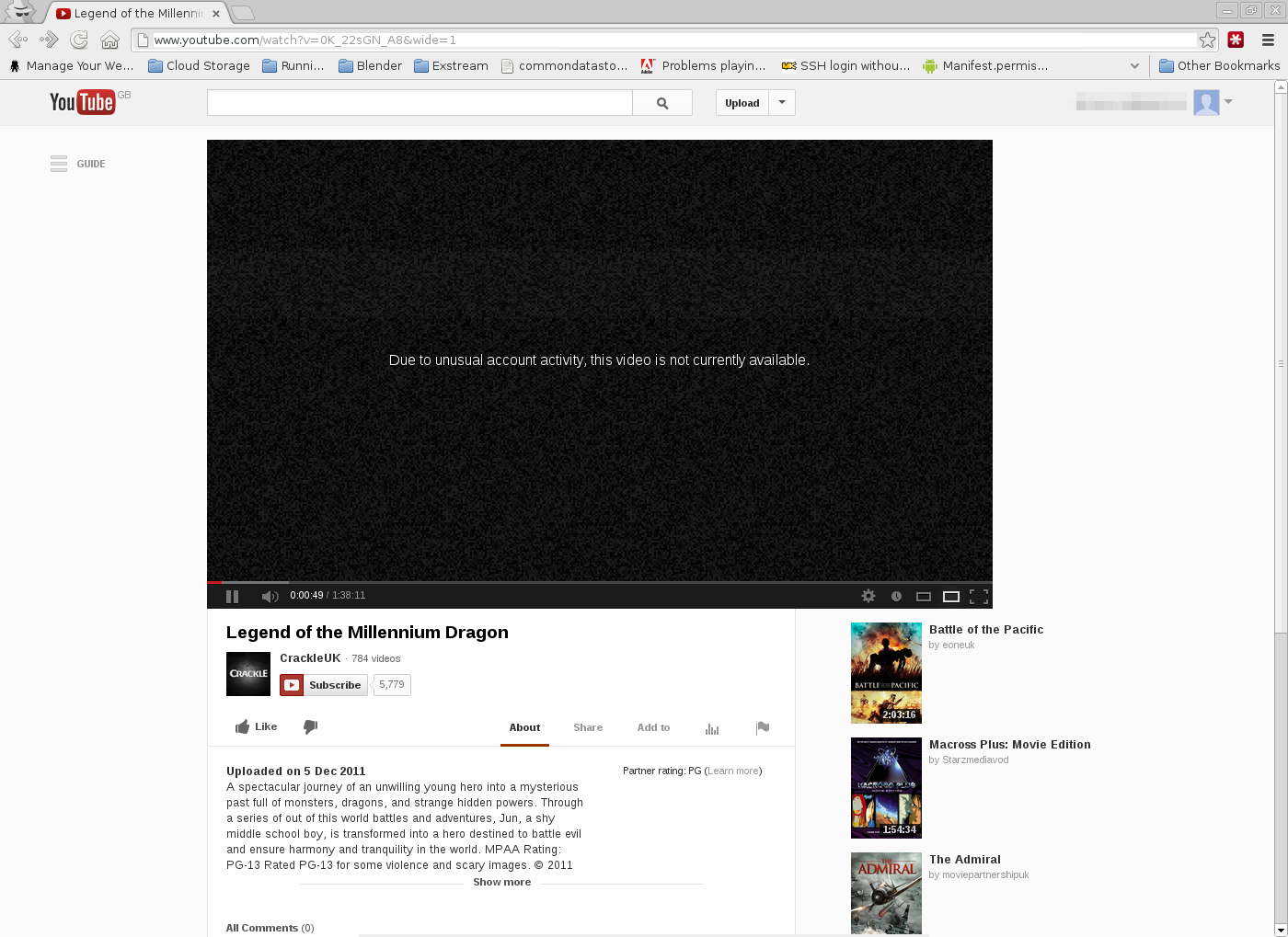
Been trying to watch some DRM movies off Google Play recently, and can’t seem to get them working on Fedora. I can watch them on my TF101 though, so it’s not too much of a problem, but more of an inconvenience:

Legend of the Millennium Dragon - YouTube - Google Chrome_007

I’m already talking to Google support about this and seeing what they suggest.


Grive & Fedora — Working

Grive is an open source command-line-based sync tool to synchronise a directory with your Google Drive. Grive is not in the Fedora repositories, although it is undergoing review for addition into the repositories.

In the meantime, if you want to use it, I’ve written a script that should pick the latest version from the russianfedora website. Bitbucket repository is here.

Direct link to script: here

Once you install the application, create a blank folder (this will be the sync folder), then run
grive -a
to request an authentication URL. Go to that URL, log into Google if you need to, and you’ll get a response string you need to copy back into the console window. If the authentication was successful, Grive will sync your files into the folder. Each subsequent time you run Grive, it will download and/or upload files to/from your Google Drive.

There is only one limitation that I’m aware of. Documents created from within Google Drive won’t sync, but if you convert them to odt or doc files, they will sync.

Cloud Storage

Gah, I really hate corporate firewalls. They block so many sites it’s sometimes impossible to do any work. I have Cloud Storage accounts with various sites, and can’t access:

However, I can access

My main cloud storage is with DropBox because they have a linux-native application for Fedora and Ubuntu. Whilst JustCloud also have a linux application, it’s Ubuntu only, so even though I have an account with JustCloud, I can’t effectively use it yet on my laptop. But, what I do like is that JustCloud tracks your mobile device once you install the app on it. Similar to the Cerberus app. So you can keep tabs on where it is. Although there’s nowhere to hide the app or make it a device administrator, it at least gives you an idea of where to start looking for your device if you can’t find it.

Behind my draconian corporate firewall the only one I can effectively use is Google Drive since they haven’t blocked Google, and I doubt they will since it’s probably the de facto search engine for most of the Internet users (although I prefer a metasearch engine like IXQuick.

Concatenating Videos

I’ve been cracking my head trying to figure out how to concatenate my dashcam videos, which get chopped by my dashcam into 15 minutes chunks. The most obvious one is ffmpeg, where I would use this:

$ ffmpeg -i "concat:`ls -l | egrep -i "apr\ \ 2" | awk 'BEGIN {ORS="|"} { print $9 }'`" -c copy output.AVI

Continue reading

Left & Right Handed Devices

You may recall in my earlier post that I mentioned the GfxTablet project but complained that there was no support for left-handed users, but I just discovered something.

Continue reading