Category Archives: Technology

Training in Quarantine – Day 309

Had my MOT done today. Took surprisingly low amount of time — I dropped the car off at 10:30 for the 11:00 appointment and they called me back at 2pm saying it was done.

They had a check-in process where you sign in, and deposit the car keys (with a tag saying which bay you had parked the car) into a small locker and that signals the mechanic you have left your keys. It’s contactless so you are never near another human.

My daily walk as a result, was much later than normal.

Training in Quarantine – Day 308

Had to shop for more milk, so went up to Tesco but they didn’t have the organic milk needed. Went to Sainsbury’s instead and they did.

Booked my MOT, but they said they did not have any “While you wait” slots for that date so it would be booked as a drop-off.

So instead, I booked for this weekend.

The showroom is only a single bus ride (plus a 15-minute walk) so it’s not too bad.

Training in Quarantine – Day 307

Forgot to log this yesterday.

Was another wet and windy day, didn’t really do much of a walk, and just managed to walk to the local Co-op to get some milk in the pouring rain.

Toyota later called me advising my MOT on the Yaris was due next month and I should book in the MOT.

Did that today and surprised that they offer a “While you wait” MOT that you can drop the car off and wait for them to do the MOT and then pick it up afterwards.

Next available slot for that is in two weeks. Still in good time for the 9th June deadline where the MOT expires.

Training in Quarantine – Day 306

Today’s been raining, windy, sunny, rainy again and repeat all day.

Managed to get a walk in between the rain and wind phases

Finished reinstalling my apps and had a few issues with location. Waze and Google Maps had trouble locking onto GPS and found out that even though the option to allow location “only while app is running” was available, I needed to set the permission to “at any time” otherwise they would lock on.

Citymapper had no issue

Just Eat still has issues and does not have a “at any” level for location permission, so I just use the postcode for that.

Most of the apps are now working. A few will not install from Play Store, presumably they’re not built to support Android 11 yet:

  • WeChat
  • Fenix 2

For Fenix, I went back to Plume (I had previously paid for the Premium version and that works fine). I installed GBoard so I can put gifs into my tweets again (one feature I really liked from Fenix)

WeChat, I ended up sideloading from apkmirror and it worked fine.

Training in Quarantine – Day 305

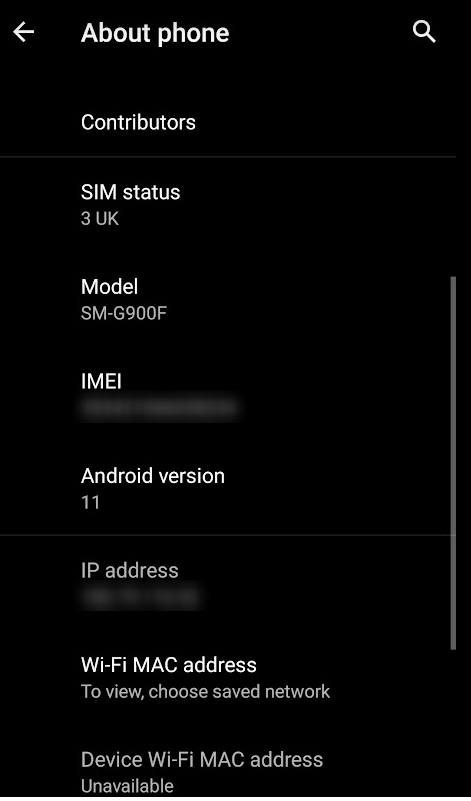
Decided to finally action the upgrade notification on my phone and Lineage OS wanted to update from Android 10 to Android 11.

The upgrade went off without too many issues, but I then found out Open Gapps had no package fro Android 11, meaning I had to resort to MindTheGapps — a minimal package that only allows Google Apps to work, but doesn’t actually install any. Consequently the Google Apps I had installed via OpenGapps decided to stop working as a result. I had to uninstall and reinstall everything from Google — Search, Notes, YouTube, Maps, Home, etc.

But fortunately everything else seemed to work. Camera MX decided to stop working, so I’ve gone back to CameraZoom

There seems to be a nice feature in Android 11 where if an app does not use a claimed permission after a period of time, Android will automatically remove that permission. Useful for applications which claim more permissions than they really need.

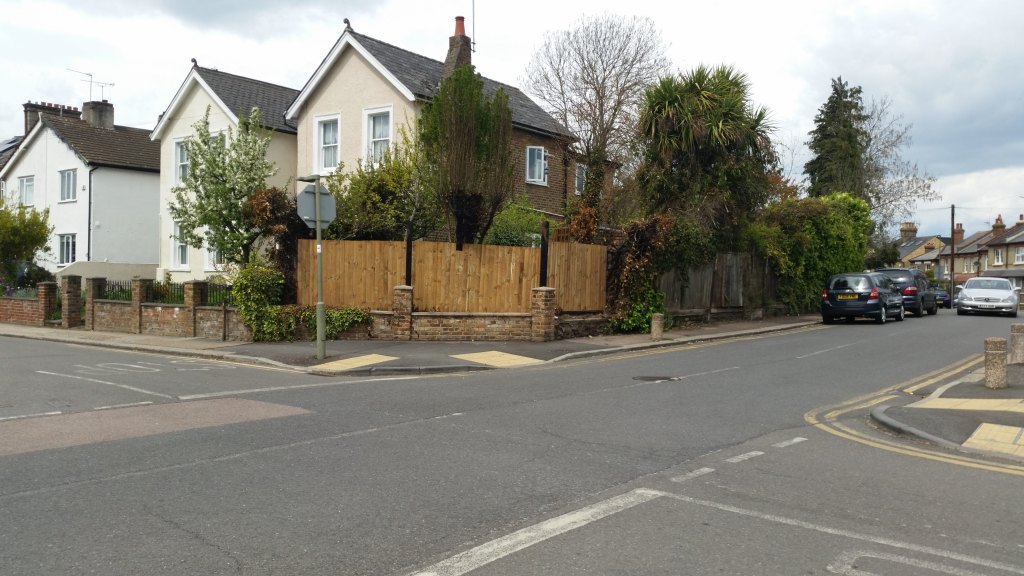
I also went round the torched fence and managed to get a pic of the new fence

Binding GCP Accounts to GKE Service Accounts with Terraform

Kubernetes uses Service Accounts to control who can access what within the cluster, but once a request leaves the cluster, it will use a default account. Normally this is the default Google Compute Engine account in GKE, and this has extremely high level access and could result in a lot of damage if your cluster is compromised.

In this article, I will be setting up a GKE cluster using a minimal access service account and enabling Workflow Identity.

Continue reading

GitLab’s Default Branch Name

GitLab is now implementing a change to make the default branch “main” instead of “master”, following GitHub and Atlassian in ditching the “master/slave” namings due to their negative history.

It should be noted that this change this makes little difference to the functionality these sites provide, and to git repositories in general. Also, the default branch can be overridden.

When creating a blank initial repo in GitLab or GitHub (i.e. without a README.md file), the sites will prompt you to push code in using instructions such as this (GitLab haven’t yet implemented the master –> main change yet so it still shows master on their instructions)

git clone git@gitlab.com:username/example.git
cd example
touch README.md
git add README.md
git commit -m "add README"
git push -u origin master

But there’s nothing to stop you from doing something like

git push -u origin trunk

Instead of master at the time of pushing.

trunk is also one of the three folders used in Subversion Version Control as part of the recommended layout (trunk, tags, branches) — yes, I did use svn previously, along with Mercurial, Visual SourceSafe, and even cvs.

trunk is also a more logical sounding main branch as you have branches that lead into the trunk of a repo. And the leaves could be considered to be the tags.

While it is great that the big name hosting platforms are migrating away from the master branch idea, it should be noted that you didn’t have to have this default branch name originally, nor were you (or are you still) tied to using their choice of main branch name.
Heater Repairs

We got the replacement heater installed today, mostly fine, the heat of the water is now very high, since the plumber had to replace the piping near the heater, and had to mount a plank of wood on the wall to provide additional support for the heater as the bracket where the heater will be mounted would be too high.

This heater requires electricity, compared to the previous one which did not. Meaning without power, we won’t have hot water.

The plumber had to add cement around the exit flue of the heater and a few hours later I could see a crack in the cement, probably from it contracting and cracking while drying.

The plumber also had to remove an entire cupboard from the kitchen where the heater is and we’ll have to remount that some other time.

Revolut: A warning to Android users

It seems like Revolut’s latest Android update (6th November) has shafted some users, including me, rendering them unable to receive the update, and making the app disappear entirely from the Play Store for those users. No notification, no warning. Just a sudden stop to updates. I had to restore from a backup I made of the app, and was then able to transfer my money out of there.

I spoke to support, and their suggestion? Use a newer device.

I guess I will be closing my Revolut account.

Training in Quarantine – Day 192

A busy Saturday with several house viewings. One of which got cancelled due to a resident having to self-isolate due to covid.

One of the viewings today was originally written off by my folks as a “no-hope” but once they viewed inside, their tone dramatically changed.

A literal case of not judging a book by its cover.

In other news, I saw a tweet from https://twitter.com/VictoriaBID:

Now I work on top of Victoria Station, so I walk past the memorial plaque dedicated to the Unknown Soldier every day I commute to the office. Obviously not so much this year due to covid.

The Military Wives Choir did the song for Abide With Me using the now-common feature of a virtual choir:

The virtual choir idea has been used a lot this year due to social distancing, but let’s not forget, the idea dates back way further, even as far back as 2009 with Eric Whitacre’s Virtual Choir project (https://www.youtube.com/user/EricWhitacresVrtlChr) which also made it into several TED talks

From 2010:

2011:

And 2013: