Tag Archives: Linux

LPIC-1

I have received confirmation of my LPIC Certification. So I expect I’ll get something in the post to confirm this. Now starting work on LPIC-2. Whether or not this changes my employability, we shall see.

Interestingly, I decided to look at some other courses offered by the online course site I got my learning material from and there’s some Ethical Hacking and Computer Forensics courses there. I might look at these courses at some point in the future, perhaps after I finished LPIC-2.

LPIC-1

Linux Professional Institute Logo

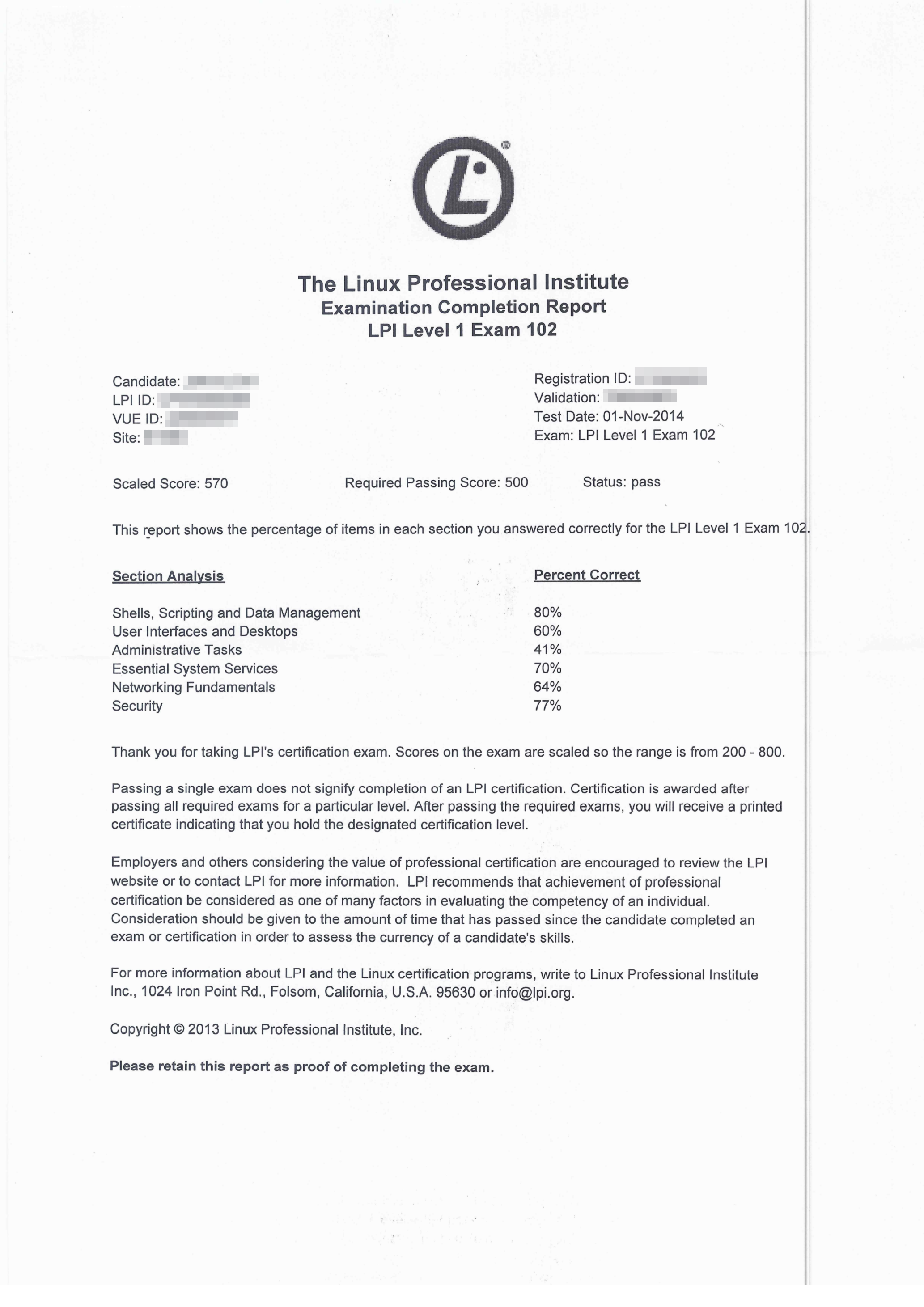
Finished my second LPIC-1 test. Scraped through with a thumping migraine and half-blindness, but literally, just made it. Quite a few gaps in my knowledge which I need to work on. Next step, LPIC-2


LPIC-1 Part 2

File Backups – Thoughts

I have used rsnapshot a lot in the past to provide snapshots in time for my backup purposes, and I loved how I was able to to pull data from remote machines to backup locally. However, doing the reverse seemed to be a lot trickier. I wanted to push backups to a server instead of have the server pull data. Because when the server started its backup routine, some machines may be switched off. So rather than the server be responsible for backing up the clients, I wanted the clients to be responsible for backing themselves up onto the server itself.

rsnapshot didn’t seem to lend itself to easily to do this, but then I thought “why not use sshfs?”. With sshfs, I can mount a directory from a remote SSH server on the local filesystem as a directory, use that as a the snapshot root and it should work. The only downside is that since rsnapshot must run as root to do a full system file backup, it also means the sshfs must be mounted as root too, and therefore it tries to connect as root to the remote server. This might be fine if you wanted to do a full remote system backup, but enabling root SSH access is a potential security hole. Possible workaround this by making a standard user who is a member of the root or admin group (haven’t checked whether this would work yet.)

Then I found out about rdiff-backup.

rdiff, for those unfamiliar with the term, is rsync diff (or reverse diff, depending on your school of thought.) It uses the rsync algorithm (the same used by rsnapshot) to create a diff file (or delta) which, when applied to a file, can produce another file – a bit like patching using a patch file. Since we only save the differences between a file and its other version, the actual storage space is low.

rsnapshot utilises hard links to store same versions of files across multiple backups, but has a full copy of each new version. rdiff-backup stores the latest version, and stores diffs that enable you to go back to a previous point in time.

In this sense, rsnapshot works like a full backup style, storing each new version in its entirety, whereas rdiff-backup works as full-plus-(reverse) differential. Restoring from the latest backup on either tool takes the same time, but restoring from an older backup would take longer for rdiff-backup, because it would have to assemble that particular version of the files via the diff files, whereas with rsnapshot, the full version is stored (although at the cost of more space). rdiff-backup works great for files which change often, but change only slightly. Rsnapshot works great for files which change rarely, but change entirely. Using a combination of both might be a good idea (say, use Rsnapshot for /home and rdiff-backup for /var and /etc)

Google Music

English: Google Logo officially released on Ma...

I am getting pretty peeved with Google recently. I have a huge amount of music on my Google Music library, so much in fact, that I hit Google’s track limit for uploads. Now, I’m trying to download my purchased music back to my machine, but their MusicManager is winding me up no end. It downloads for a while, then stops, thinking it has finished, with several tracks not downloaded. I restart the download, and it goes on a bit more then stop again.

Google suggested a few things, eventually ending up blaming my ISP. But there isn’t much alternative for me. Other than my current ISP, I can only use my corporate connection, but that requires a proxy – something Google do not support on MusicManager, or using Tor, which also doesn’t work properly. They suggested using the Google Music app, but that only works (if it ever does) on a single album.

I even tried using AWS and Google Cloud, but the app ties to MAC and refuses to identify my machine (which is a virtual machine). I also tried using an LXC contain, and that worked for a bit longer, but also died. So now, I’m trying using a Docker image. Slightly different concept, but lets see if it works.

If that doesn’t work, I’m going to try using TAILS.

EDIT: Docker image didn’t work. So anything with a “true” virtual environment such as AWS, GC, and Docker don’t seem to work (VirtualBox will probably be in this list too), anything else (LXC, e.g.) will work, but fail later.

Shellshock, the Bashdoor Bug – Computerphile – YouTube

Computerphile explains Shellshock

Firejail – A Security Sandbox for Mozilla Firefox

netblue30's avatarl3net - a layer 3 networking blog

We often find ourselves running applications we received in binary format. These include not only traditional software installed on our computers, but also unauthenticated programs received over the network and run in web browsers. Most of the time these applications are too complex to be bug-free, or can come from an adversary trying to get access to our system.

Firejail is a SUID sandbox program that reduces the risk of security breaches by restricting the running environment of untrusted applications. The core technology behind Firejail is Linux Namespaces, a virtualization technology available in Linux kernel. It allows a process and all its descendants to have their own private view of the globally shared kernel resources, such as the network stack, process table, mount table, IPC space.

Introducing Firejail

The program is written in C and only needs libc and POSIX threads (libpthreads), available by default on any Linux platform. The

View original post 659 more words

How To Check If Your Mac or Linux Machine Is Vulnerable to Shellshock

Copy-paste this line of text into a bash window

env x='() { :;}; echo vulnerable' bash -c 'echo hello'

If the reply comes back as:

vulnerable hello

or

vulnerable
hello

Then your version of bash is vulnerable to shellshock. Most distributions have already pushed out a new version of bash. My Ubuntu machines updated yesterday.

If you use Cygwin, then you need to check there to. Cygwin bash 4.1.10 is definitely vulnerable, but 4.1.11 is not.

If your version of bash is not vulnerable the output will be:

bash: warning: x: ignoring function definition attempt
bash: error importing function definition for `x'
hello

How To Check If Your Mac or Linux Machine Is Vulnerable to Shellshock.

Building Docker.io on 32-bit arch

NOTE: Automated 32-bit-enabled builds are now available. See this page for link details.

EDIT 29th September 2015: This article seems to be quite popular. Note that Docker has progressed a long way since I wrote this and it has pretty much broken the script due to things being moved around and versions being updated. You can still read this to learn the basics of LXC-based in-container compiling, and if you want to extend it, go right ahead. When I get a chance, I will try to figure out why this build keeps breaking.

Steps to compile and build a docker.io binary on a 32-bit architecture, to work around the fact the community does not support anything other than 64-bit at present, even though this restriction has been flagged up many times.

A caveat, though. As the binary you compile via these steps will work on a 32-bit architecture, the Docker images you download from the cloud may NOT work, as the majority are meant for 64-bit architectures. So if you compile a Docker binary, you will have to build your own images. Not too difficult — you can use LXC or debootstrap for that. Here is a quick tutorial on that.

I am using a LXC container to do my build as it helps control the packages plus it reduces the chances of a conflict occurring between two versions (e.g. one “dev” version and one “release” version of a package), plus, the LXC container is disposable – I can get rid of it each time I do a build.

I utilise several scripts — one to do a build/rebuild of my LXC container, one to start up my build-environment LXC container and take it down afterwards; and the other, the actual build script. To make it more automated, I setup my LXC container to be allow a passwordless SSH login (see this link). This means I can do a scp into my container and copy to and from the container without having to enter my password. Useful because the container can take a few seconds to startup. It does open security problems, but as long as the container is only up for the duration of the build, this isn’t a problem.

EDIT: One note. If you have upgraded to Ubuntu’s Utopic Unicorn version, you may end up having to enter your GPG keyring password a few times.

EDIT 2: A recent code change has caused this build script to break. More details, and how to fix it on this post.

As with most things linux and script-based. There’s many ways to do the same thing. This is just one way.

Continue reading

Turin, Italy chooses Ubuntu, ditches Windows

Munich tried then ditched Linux. I wonder if Turin fares any better.

jamesgoode98's avatarLinux News

€6m: the amount the municipality of Turin hopes to save over five years by switching from Windows XP to Ubuntu Linux in all of its offices.

The move will mean installing the open source operating system on 8,300 PCs, which will generate an immediate saving of roughly €300 per machine (almost €2.5m altogether, made up from the cost of Windows and Office licences) — a sum that will grow over the years as the need for the renewal of proprietary software licences vanishes, and the employees get used to the new machines.
Read this
‘It was a huge risk’: How the end of XP support helped France’s gendarmes embrace Ubuntu – fast

‘It was a huge risk’: How the end of XP support helped France’s gendarmes embrace Ubuntu – fast

Or rather, to the old ones. Another reason for the switch was that the computers Turin uses are quite old…

View original post 326 more words

LPIC-1

Linux Professional Institute Logo

Linux Professional Institute Logo (Photo credit: Wikipedia)

First step achieved towards LPIC-1. Part 1 complete, part 2 commence! :)

Score was 710. Pass mark was 500. Score ranges from 200 to 800, so if my score was 710/800, that makes it 88.75%. Not a bad score.

I arrived 30 minutes early, and the test centre allowed me to take the test early, although we had some troubles getting the exam started (technology, eh?)

However, once started, I clicked through the questions, and felt reasonably happy with the level of questions, even though I evidently got quite a few wrong on the System Architecture section.

I chuckled when the receptionist asked to take a picture of me to compare against the last picture (to verify I was who I said I was) and then promptly asked me “have you lost weight since the last time you were here?”

Um… I don’t think so? :P

Breakdown of topics:

I am going to see if I can find out which questions I got wrong. Would be nice to know so I can learn for future.